
Warranty Retrieval
Typing the warranty of hundreds of devices is slow and error-prone. Warranty Retrieval asks the manufacturer for the warranty of every device, using its serial number, and writes it on the device.
Today it supports Dell and Lenovo. For the other manufacturers, fill in the warranty by hand or by import.
Retrieving warranties
Open Devices › Warranty retrieval. There is a card for each supported manufacturer, each with its own Retrieve Warranties button.
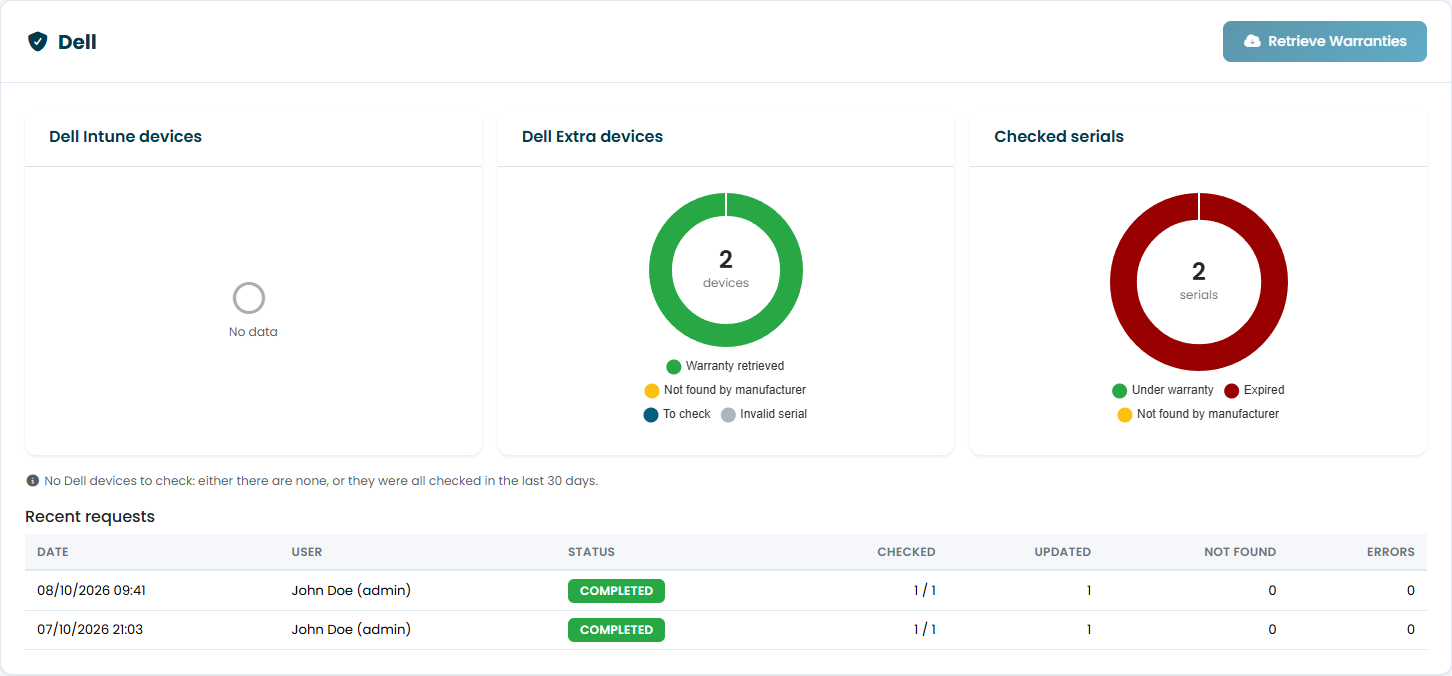
| Element | Content |
|---|---|
| Intune devices, Extra devices of the manufacturer | The manufacturer's devices split by result: warranty retrieved, not found by the manufacturer, to check, invalid serial. |
| Checked serials | Serial numbers already checked: under warranty, expired, not found. |
| Recent requests | The last requests with date, user, status and how many serial numbers were checked, updated and not found. |
Click Retrieve Warranties on the manufacturer's card to start. The request runs in the background: you can leave the page, and the progress updates on its own when you come back.
Which devices are checked:
- Intune devices and extra devices of that manufacturer, including devices in storage;
- only devices with a valid serial number in the Serial Number field: the Dell service tag, or the Lenovo serial number (7 to 10 letters and digits, for example
PF0ABCDE). The Lenovo machine type and model, such as20Y7003QIX, is not the serial number: it goes in the P/N field; - devices not checked in the last 30 days. If all the manufacturer's devices have been checked recently, the button has nothing to do and the page says so.
The number of requests per day is limited. With a large fleet the request may pause with the status waiting for the daily limit and resume on its own the next day.
What is written on the device
For each device found, the portal writes:
- Warranty Activation Date: the start of the oldest coverage;
- Warranty Period: from activation to the end of the coverage that expires last;
- Warranty Type: the service level of the coverage that expires last, translated into the standard warranty types used in the portal, the same for every manufacturer.
The device page then shows the full list of coverages reported by the manufacturer, and the warranty fields are locked: the manufacturer's data is authoritative and is not overwritten by hand or by import.
Who can use it
The button requires the Edit Warranty permission and visibility on all devices: a user limited by visibility groups cannot start a retrieval, because it updates every device of that manufacturer in the company. It is not available to managed service providers.
Only one request per manufacturer at a time can run for your organization: a Dell and a Lenovo request can run together.