
Device Visibility (RBAC)
Permissions decide what a user can do; visibility groups decide which devices they see. Use them when different teams look after different parts of the fleet: for example, the Milan help desk sees only the Milan devices, and the mobile team sees only phones.
Visibility groups apply to every list, chart and export: Intune devices, extra devices, network devices and IPAM networks. Tenant administrators always see everything.
Groups only restrict their members: a user who is not a member of any active group sees all devices, like an administrator. You only need groups for the users you want to limit.
Groups
Open My Tenant › Edit › RBAC. The tab lists the groups with their number of users and rules.

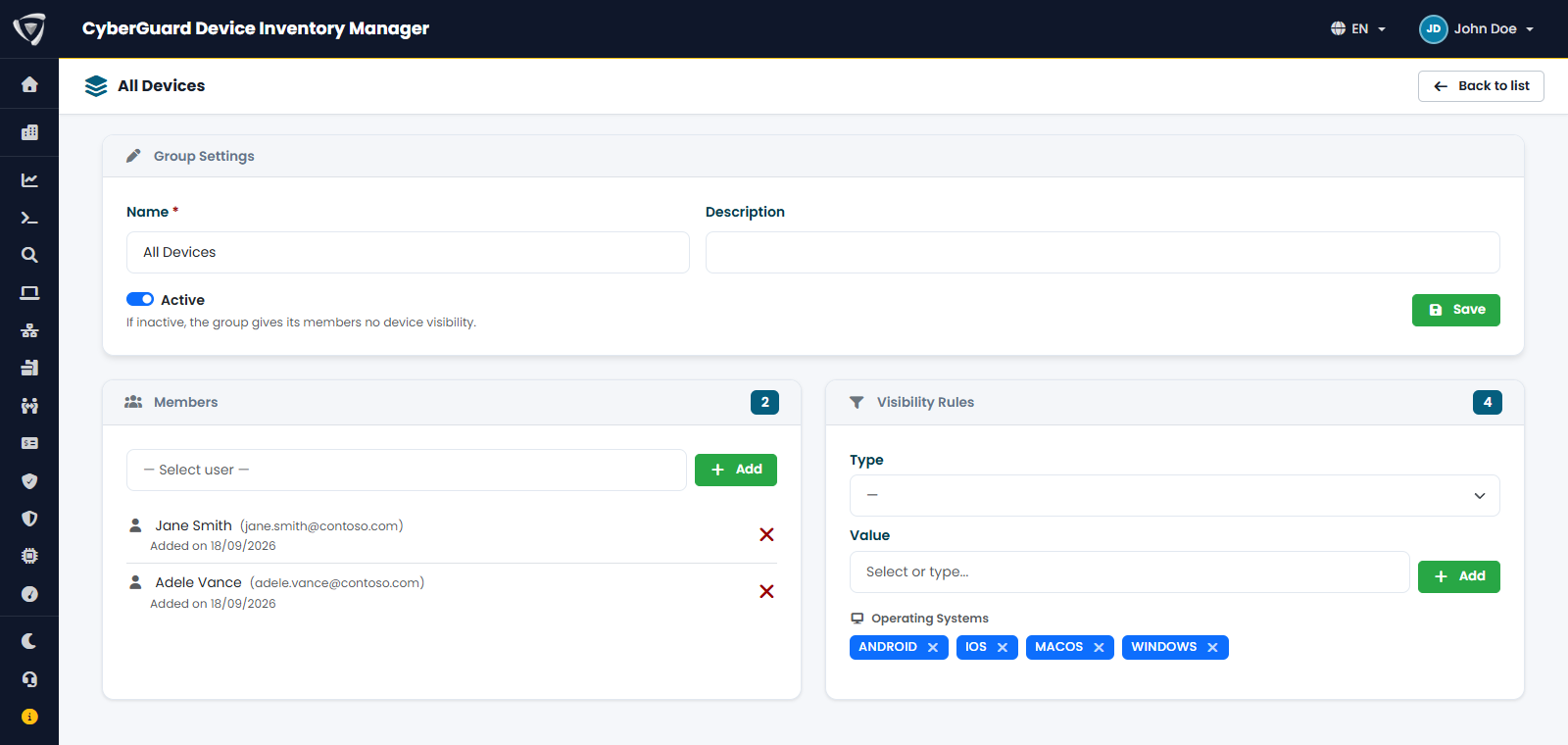
Click Add to create a group, or the gear icon to open an existing one. A group has:
- Name and Description;
- Active: an inactive group does not limit its members;
- Members: the users of the group, chosen from the users of your tenant;
- Visibility Rules: which devices the members see.
Rules
To add a rule, choose its Type, then select or type a Value and click Add.
| Type | Matches devices with |
|---|---|
| Operating System | That operating system: Windows, macOS, iOS, Android. |
| Site | That value in the Site field. See Editing Device Fields. |
| Tag | That value in the Tag field. |
| Company | That sub-tenant, or the main tenant. Available only with Multi-Tenant. |
How rules combine:
- Rules of the same type add up: Site = Milan and Site = Rome show the devices of both sites.
- Rules of different types must all match: Site = Milan and Operating System = Windows show only the Windows devices in Milan.
- A group with no rules of a type does not filter on that type.
- A user who belongs to several groups sees everything each group allows.
- A group with no rules at all does not limit its members.
A device with an empty Site or Tag does not match a rule on that field. Keep these fields filled in if you use them for visibility; the fastest way is the Device Tags import.
Example
| Group | Rules | Members see |
|---|---|---|
| Help desk Milan | Site = Milan | All devices in Milan |
| Mobile team | Operating System = iOS, Operating System = Android | All phones and tablets |
| Milan laptops | Site = Milan, Operating System = Windows, Operating System = macOS | Windows and macOS devices in Milan |