
Export
Open Import / Export › Export, choose what you want to export and click Export Data. The file is a CSV that opens directly in Excel.
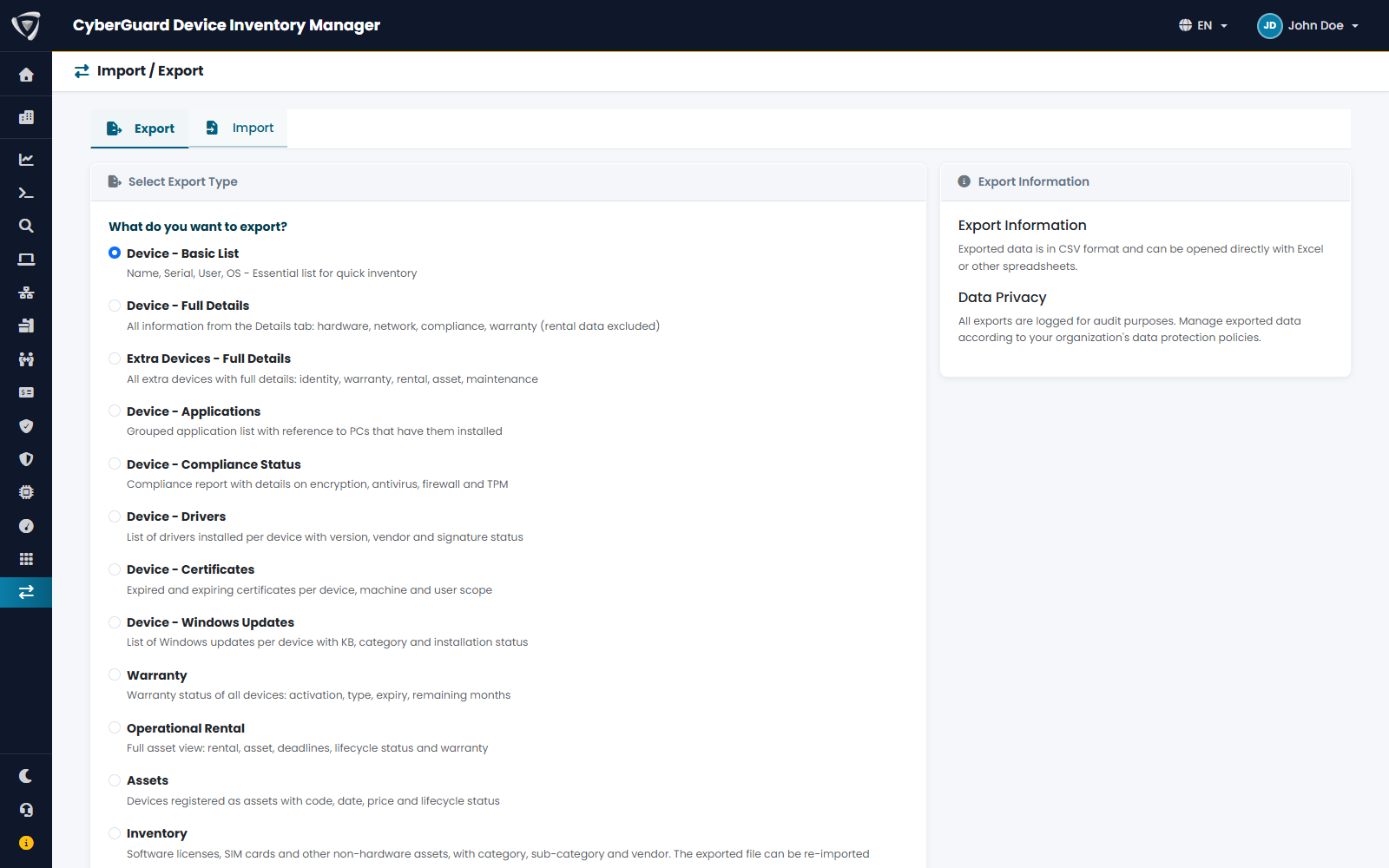
Exports contain only the devices you are allowed to see (see Device Visibility (RBAC)) and include every lifecycle status: filter in Excel if you only need active devices.
Export types
| Export | Content |
|---|---|
| Device - Basic List | Name, serial number, operating system, user, compliance, status, condition, site and last sync. The essential list for a quick inventory. |
| Device - Full Details | Everything on the Device tab: hardware, firmware and BIOS status, network, compliance, encryption, warranty, purchase date and notes. Rental data is in the Operational Rental export. |
| Extra Devices - Full Details | All extra devices with identity, assigned user, warranty, rental, asset and maintenance data. |
| Device - Applications | Each installed application with the device and user it is installed on. |
| Device - Compliance Status | Compliance, encryption (BitLocker), TPM, boot mode, BIOS, firewall and antivirus for each device. |
| Device - Drivers | The drivers of each device with vendor, class, version, signature and status. |
| Device - Certificates | Expired and expiring certificates of each device, with scope, store, issuer, validity and key details. |
| Device - Windows Updates | The updates of each device with KB, category, install date and status. |
| Warranty | Warranty of Intune and extra devices: activation, type, period, expiry, status and months to expiry. |
| Operational Rental | Devices with rental or asset data: rental company, contract, period, expiry and status, asset data, warranty, processor year and RAM. |
| Assets | Devices registered as assets, with code, date, sale price, status and rental data. |
| Inventory | Inventory assets with category, sub-category, vendor and custom fields. This file can be imported again without changes (see Import). |
| IPAM | IP addresses by network, with site, VLAN, hostname, MAC address, source, status and notes. |
About the file
- Dates and times are in the time zone of your organization; dates without a time are written as
yyyy-MM-dd. - Status columns such as Warranty Status and Rental Status are calculated on the day of the export.
- Column names and values are always in English, whatever the language of the portal: Active, Expired, No warranty, Yes, No. A missing value is an empty cell, so the file reads the same way for everyone.
- The export is not limited in size: for very large fleets it can take a few seconds.
The Audit Log is exported from its own page, with the entries you searched.