
Fleet Assessment
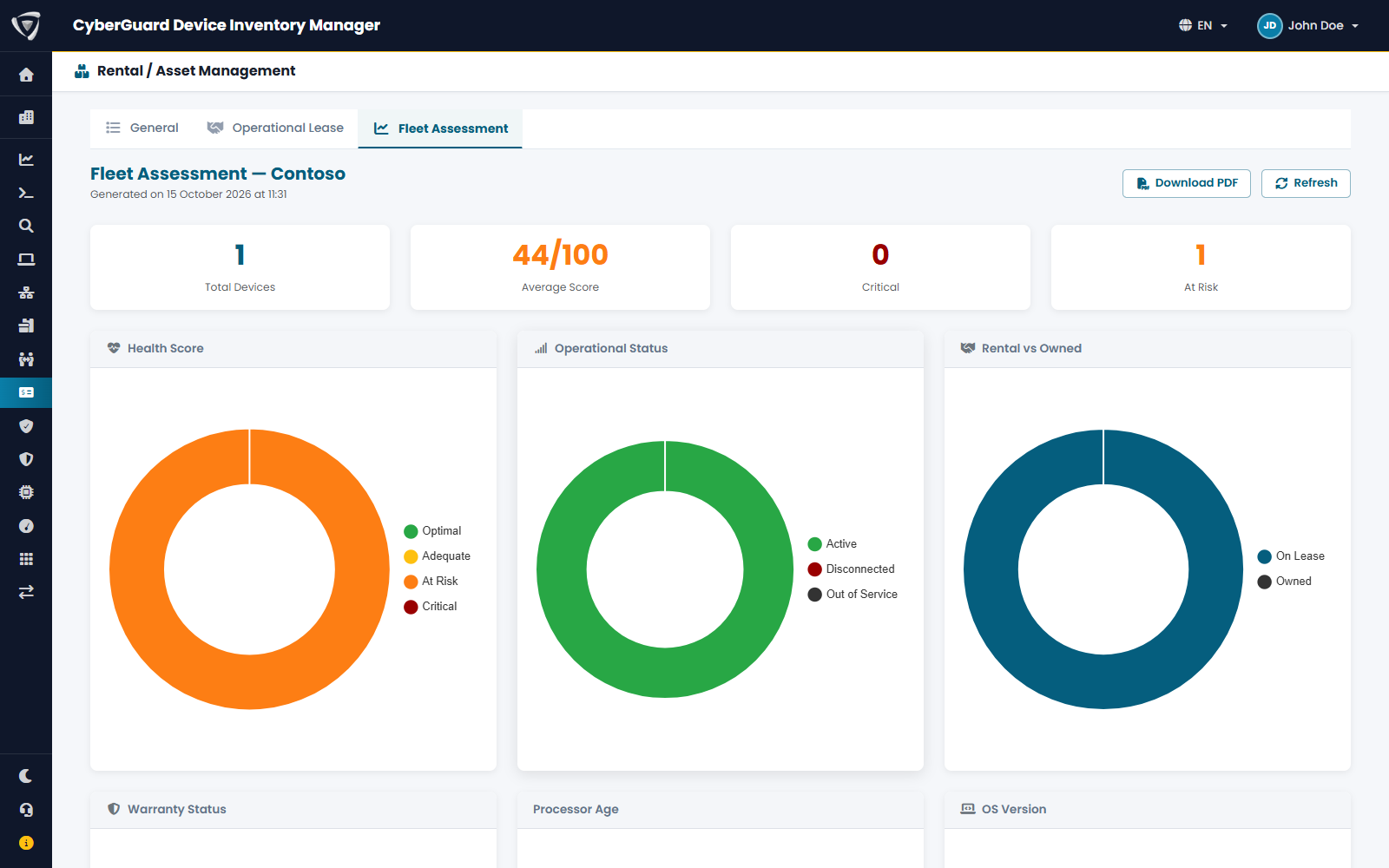
Fleet Assessment gives each rented or owned device a health score from 0 to 100 and suggests what to do with it. Use it to plan replacements and to prepare the end of lease contracts.
Open Rentals / Assets › Fleet Assessment and click Run.
The score
The score combines five factors:
| Factor | Weight |
|---|---|
| Processor age | 30% |
| Warranty status | 20% |
| Rental contract | 20% |
| RAM | 15% |
| Sync frequency (how recently the device checked in) | 15% |
Devices are grouped as Optimal, Adequate, At Risk and Critical.
The report
| Section | Content |
|---|---|
| Counters | Devices analyzed, average score, critical devices, devices at risk. |
| Health Score, Operational Status, Rental vs Owned, Warranty Status, Processor Age, OS Version | Charts of the fleet. |
| Operating System Distribution, Distribution by Rental Company | How the devices are split. |
| Rental Expirations | Contracts expiring in the next 12 months, with the days left. |
| Critical Devices | The devices with the lowest score, with the recommended action, for example Extend warranty, Plan replacement or Renew rental contract. |
| Recommended Action Plan | The actions grouped by type, with priority and number of devices. |
| Detailed Analysis | A written summary of hardware, contracts and warranties. |
The analysis includes the devices shown in the General tab: those with rental or asset data, among the devices you are allowed to see.
Click Download PDF to get the report as a document to share, for example with management or the leasing company. Refresh runs the analysis again.
Recommendations are generated automatically from the data in the portal. Have them validated by your IT team before acting on them.