
Windows Updates
The Windows Updates page shows every update installed or failed across your Windows devices, and for each security update the vulnerabilities it fixes. Use it to answer the questions that matter after Patch Tuesday: has everybody installed this month's update? Which devices are still exposed?
The data comes from the CyberGuard agent (see Agents).
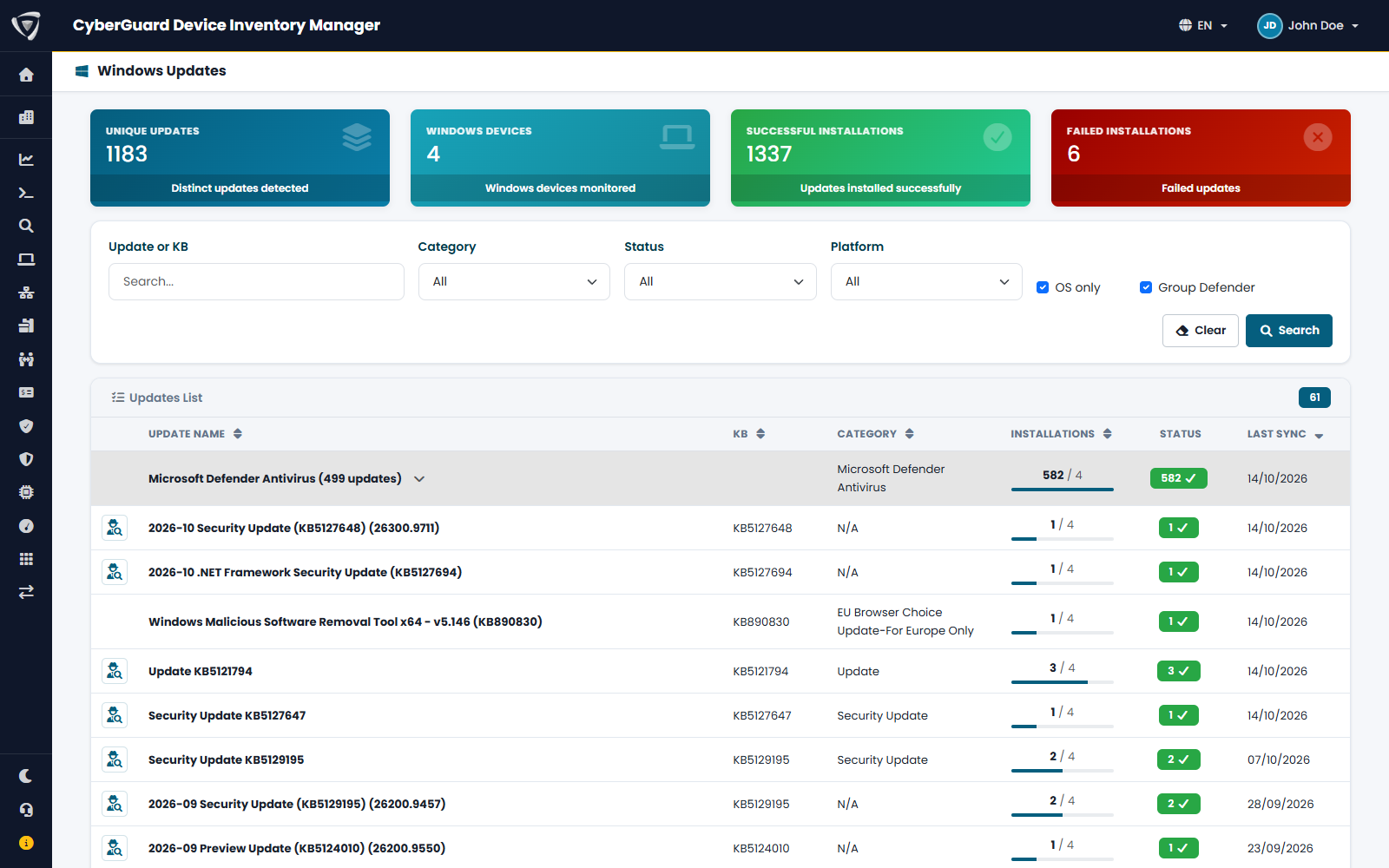
The overview
| Card | Content |
|---|---|
| Unique Updates | Distinct updates found on your devices. |
| Windows Devices | Devices monitored. |
| Successful Installations | Updates installed successfully. |
| Failed Installations | Updates that failed. Start from here. |
Filters
| Filter | Effect |
|---|---|
| Update or KB | Search by name or KB number. |
| Category | Security Update, Update, .NET, Microsoft Defender and others. |
| Status | With errors, Successful only, Security Updates only. |
| Platform | Windows or macOS. |
| OS only | Hides updates of other products. |
| Group Defender | Groups the many Microsoft Defender definition updates into one row. |
The list shows, for each update, its KB number, category, how many devices have it installed out of the total, the status and the last time it was seen.
An update in detail
Click the icon at the beginning of a row to open the update.
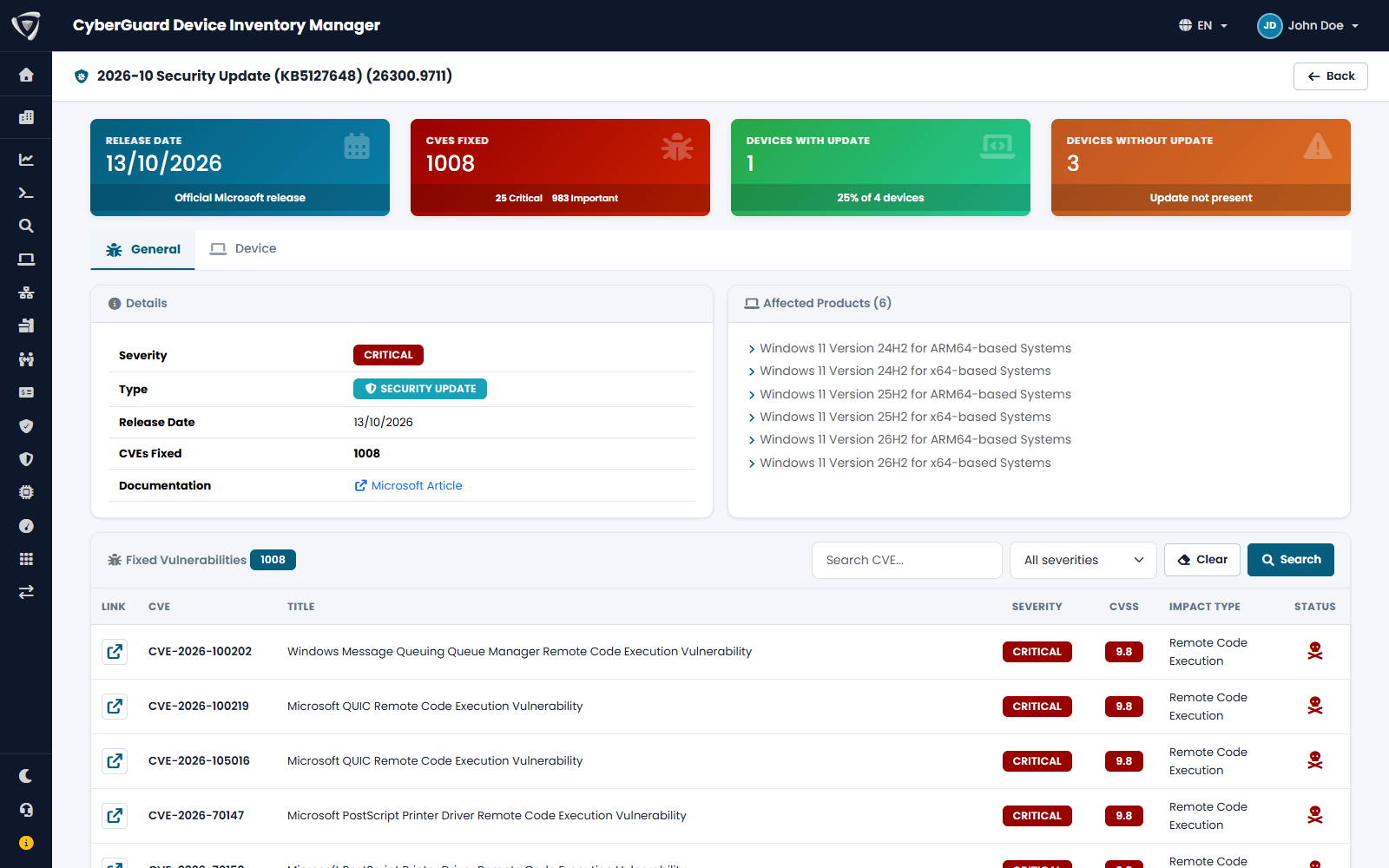
| Element | Content |
|---|---|
| Release Date | When Microsoft released the update. |
| CVEs Fixed | How many vulnerabilities the update fixes, by severity. |
| Devices With Update, Devices Without Update | Which devices have it and which do not. The second number is your exposure. |
| Details, Affected Products | Severity, type, documentation link and the Windows versions the update applies to. |
| Fixed Vulnerabilities | Each CVE with title, severity, CVSS score, impact type and a mark if it is actively exploited. |
| Device tab | The list of devices with and without the update. |
The vulnerability details come from the Microsoft Security Response Center. They are available for security updates; other updates show only their basic data.
Prioritize updates that fix actively exploited vulnerabilities and Critical ones, and check that the number of devices without them goes to zero.
On the device page
The Updates tab of a device lists its own updates. See Apps, Updates & Drivers.