
Applications
The Applications Dashboard shows every application installed in your fleet: Windows and macOS applications collected by the CyberGuard agent, and iOS and Android applications reported by Microsoft Intune.
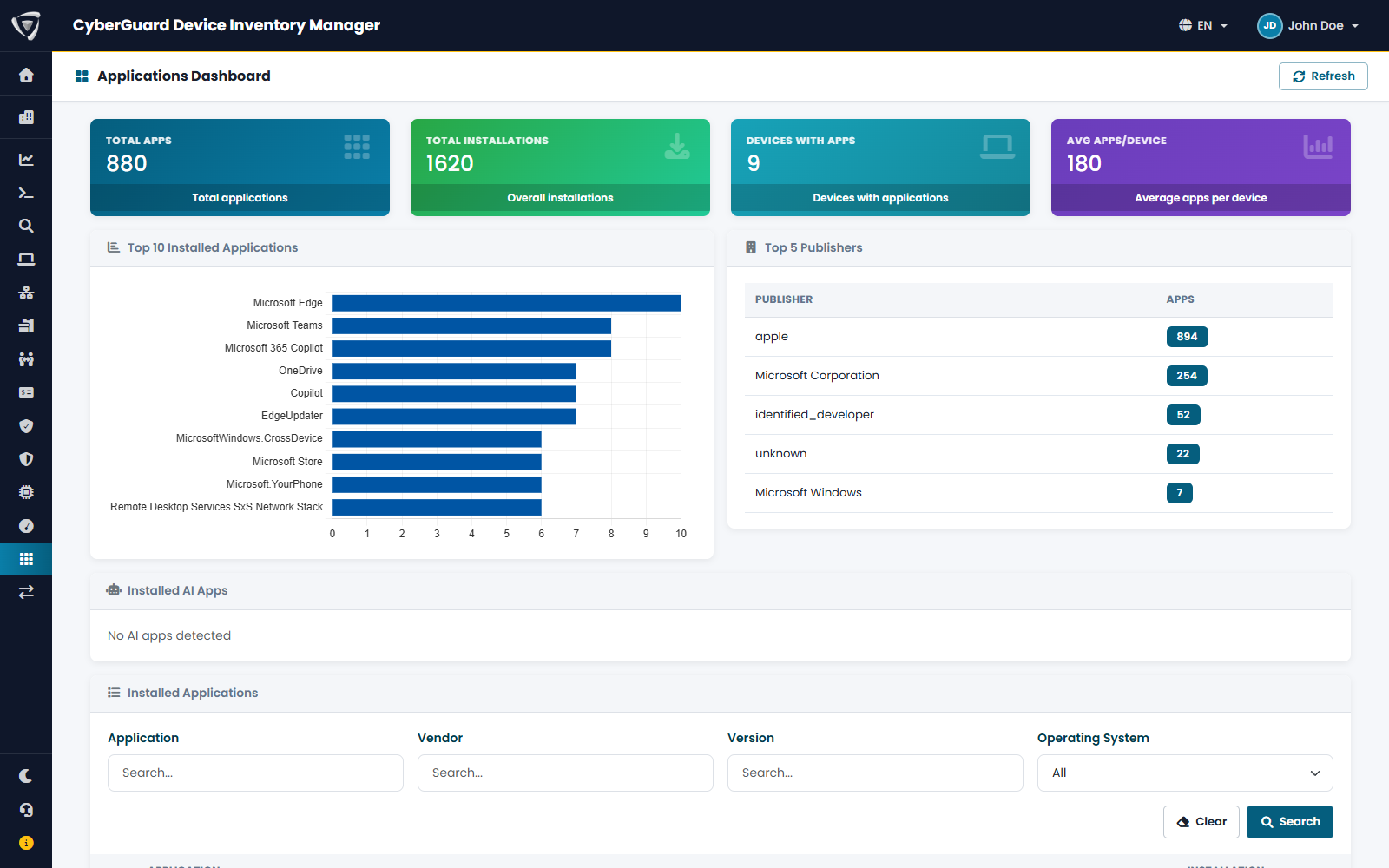
| Element | Content |
|---|---|
| Counters | Total applications, total installations, devices with applications, average applications per device. |
| Top 10 Installed Applications | The most widespread applications. |
| Top 5 Publishers | The publishers with the most applications. |
| Installed AI Apps | Desktop AI tools found on your devices, such as ChatGPT, Claude or Copilot, and how many devices have them. Useful to know which AI tools are in use before writing a policy. |
| Installed Applications | The full list, with filters by Application, Vendor, Version and Operating System. |
An application in detail
Click an application to open it.
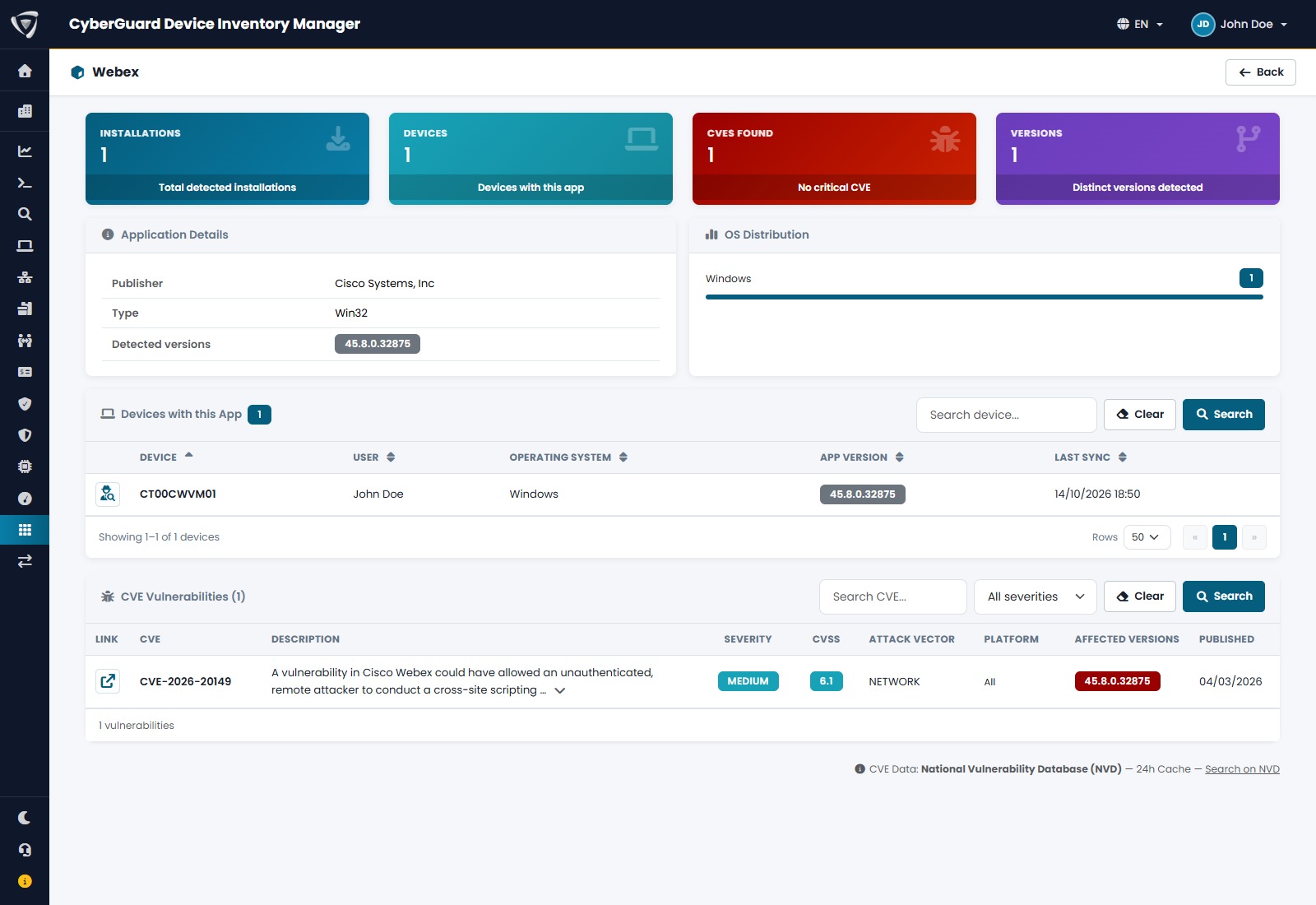
| Element | Content |
|---|---|
| Installations, Devices, Versions | How widespread the application is and how many versions are installed. |
| CVEs Found | Known vulnerabilities of the application, by severity. |
| Application Details, OS Distribution | Publisher, type, detected versions and operating systems. |
| Devices with this App | Each device with user, operating system and installed version. |
| CVE Vulnerabilities | Each CVE with description, severity, CVSS score, attack vector, platform, affected versions and publication date. The versions installed in your fleet that are affected are highlighted. |
A typical use: find an application with a critical vulnerability, look at Devices with this App to see who has an affected version, and update it with Microsoft Intune.
See Vulnerabilities (CVE) for how vulnerability data works.
On the device page
The App tab of a device lists its own applications. See Apps, Updates & Drivers.