
Staff Management
When someone joins the company, HR asks IT for an account and a laptop; IT prepares the devices and hands them over; when the person leaves, the devices must come back. Staff Management follows this whole cycle and keeps a record of who received what, and when it was returned.
Open it from the Dashboard (Assignments) or the sidebar.
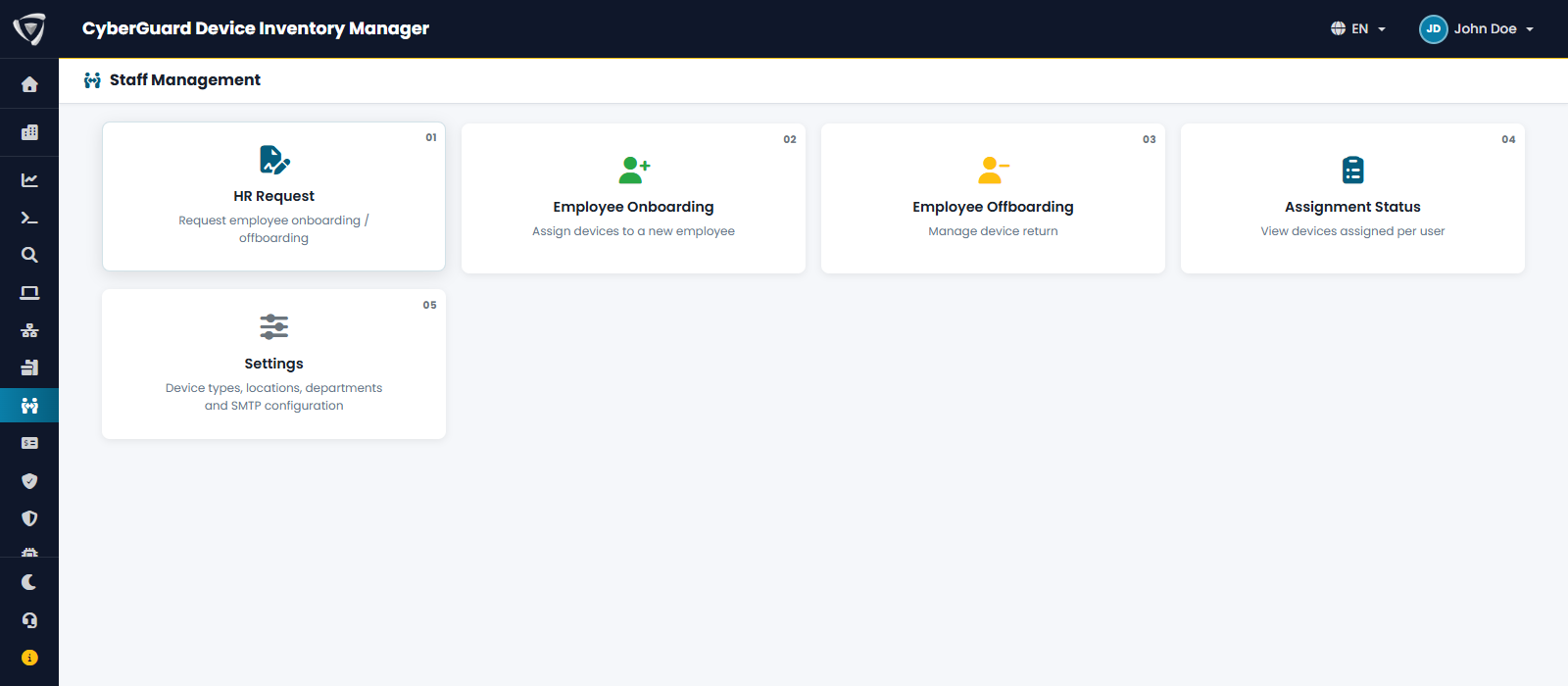
| Card | Who uses it | Guide |
|---|---|---|
| HR Request | HR, to ask IT to onboard or offboard people. | HR Requests |
| Employee Onboarding | IT, to assign devices to a new employee and get the employee's confirmation. | Employee Onboarding |
| Employee Offboarding | IT, to collect the devices of a person who leaves. | Employee Offboarding |
| Assignment Status | IT and managers, to see the devices assigned to each person. | below |
| Settings | Administrators: device types, locations, departments and email. | Settings |
Each card has its own permission, so HR can open requests without seeing the IT procedures (see Users & Permissions). Staff Management sends emails to employees and to IT: configure SMTP first. Without it, the page shows Email notifications are not active.
The cycle
- HR opens an onboarding request with the details of the new employee.
- IT receives the request by email, creates the account and the onboarding, adds the devices and sends them to the employee.
- The employee confirms receipt from the link in the email.
- When the employee leaves, HR opens an offboarding request.
- IT runs the offboarding: records the return of each device and its condition. The devices become available for the next person.
You can also start from step 2 without an HR request.
Assignment Status
Assignment Status lists every person with devices assigned: how many Intune devices, extra devices and Inventory assets, the type of procedure (onboarding, offboarding) and its status.
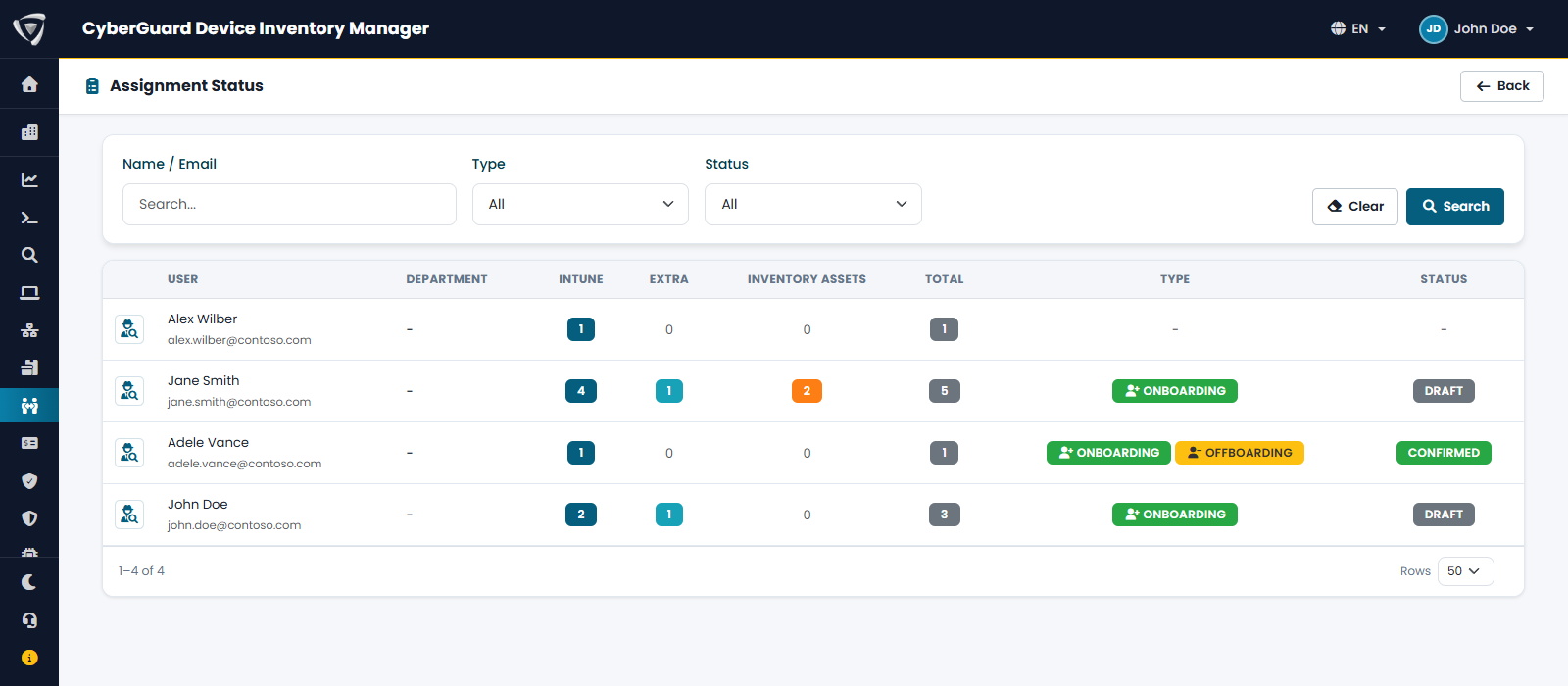
Filter by Name / Email, Type (with or without onboarding) and Status. Click the icon at the beginning of a row to open the person's onboarding or offboarding.
| Status | Meaning |
|---|---|
| Draft | IT is preparing the procedure. |
| Sent | The email has been sent to the employee, waiting for confirmation. |
| Confirmed | The employee confirmed receipt of the devices. |
| Rejected | The employee reported a problem instead of confirming. |
| Completed | The offboarding is closed. |
| Cancelled | The procedure was cancelled. |