
Warranty
Knowing when warranties expire lets you plan replacements and avoid paying for repairs that would have been covered. Device Inventory Manager tracks the warranty of every device, Intune and extra, and warns you before it ends.
How a device gets its warranty
A warranty is made of three fields: Warranty Activation Date, Warranty Type and Warranty Period (in months). The expiry date is calculated from them. You can fill them in three ways:
| Way | When to use it |
|---|---|
| By hand, on the device page | A few devices. See Editing Device Fields. |
| By import, from a CSV file | Many devices, for example from the supplier's delivery list. See Import. |
| From the manufacturer, automatically | Dell and Lenovo devices: the portal asks the manufacturer for the warranty of each serial number. See Warranty Retrieval. |
A warranty retrieved from the manufacturer takes precedence: it overwrites the manual data and can no longer be changed by hand or by import.
The Warranty tab
Open Devices › Warranty for an overview of the fleet.
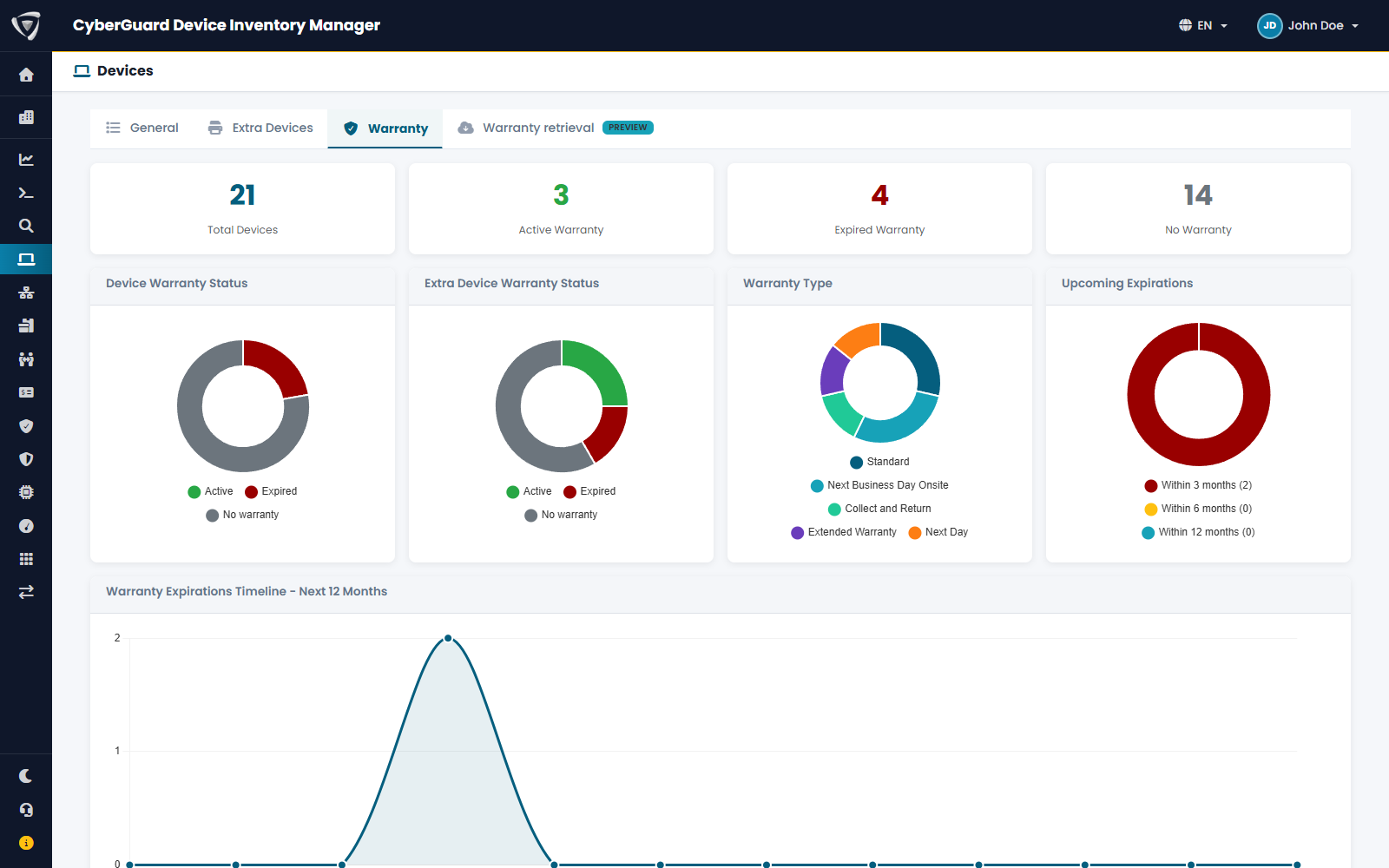
| Element | Content |
|---|---|
| Counters | Total devices, with active warranty, with expired warranty, without warranty. Intune and extra devices together. |
| Device Warranty Status, Extra Device Warranty Status | The same split, separately for Intune and extra devices. |
| Warranty Type | How many devices have each type of coverage. |
| Upcoming Expirations | Warranties expiring within 3, 6 and 12 months. |
| Warranty Expirations Timeline | Expiries month by month over the next 12 months. |
| Warranty Expiration List | The devices whose warranty expires in the chosen Period (next 3, 6 or 12 months), with serial number, vendor, model, activation date, type, period and expiry date. |
In the Device List, the Warranty filter shows devices with warranty, with expired warranty or without warranty, and a shield next to each device name shows its status, with the expiry date in the tooltip.
Being warned before expiry
- The Alerts of the Dashboard list warranties that expire in the next 45 days.
- Email Notifications can send a periodic summary of expiring warranties to the people you choose, with the notice you choose.
Exporting
The Warranty export lists the warranty status of all devices: activation, type, expiry and remaining months. See Export.