
Discovery
Device Inventory Manager synchronizes with Microsoft Intune automatically every day: new devices appear, existing devices are updated. You do not need to do anything for this.
Discovery starts the same synchronization on demand, for example after enrolling new devices that you want to see right away.
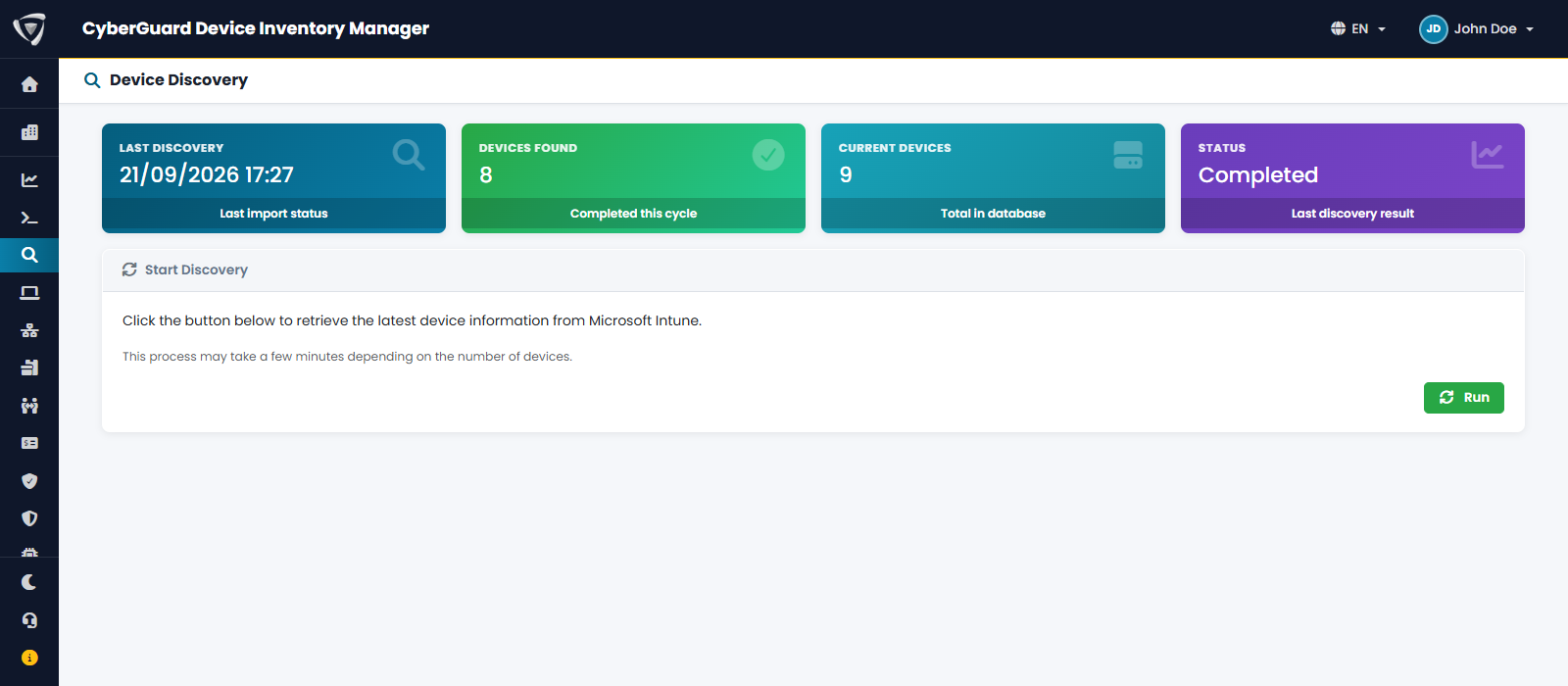
The page shows:
| Card | Content |
|---|---|
| Last Discovery | When the last Discovery started from this page ran. Automatic synchronizations are not listed here; the time of the latest one is shown in the Dashboard. |
| Devices Found | Devices read from Microsoft Intune in the last Discovery. |
| Current Devices | Devices in Device Inventory Manager. |
| Status | Result of the last Discovery. |
Click Run to start a Discovery. A progress bar shows the steps: reading devices from Microsoft Intune, processing them, synchronizing applications, Windows updates and drivers, saving, and merging any extra device with the same serial number. Depending on the number of devices, it can take a few minutes; you can leave the page and come back.
Discovery requires the Device Sync permission. It is not available to managed service providers.
What Discovery does not do
- It does not delete devices: devices removed from Microsoft Intune stay in the list (see When a Device Leaves Intune).
- It does not collect the agent data: the agent sends its data on its own schedule (see Agents).