
Inventory
The Inventory module lets you register and track non-hardware assets: software licences, SIM cards, subscriptions, badges, anything assigned to a person or a device that your organization needs to keep an eye on.
Inventory complements the device inventory: devices managed by Intune are in Devices, other equipment such as printers and switches is in Extra Devices. Inventory covers everything that is not a device but still needs an owner, a cost, an expiry date and an assignment history.
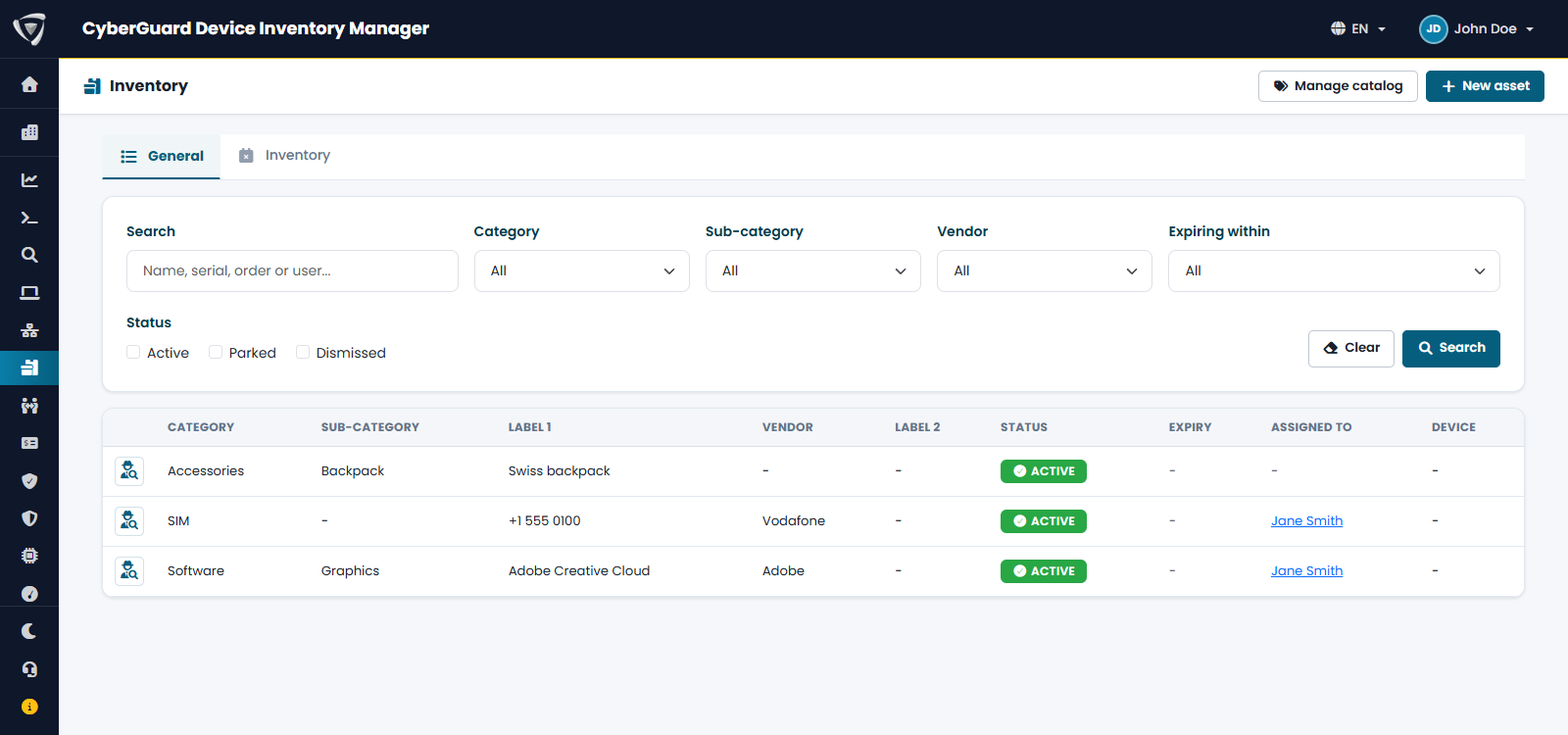
Open Inventory from the Dashboard or the sidebar. Filter the list by category, sub-category, vendor, status, or assets expiring within 30, 60 or 90 days. Click New asset to add one and Manage catalog to manage categories and vendors. Assets close to expiry also appear in the Alerts of the Dashboard, and can be sent by email (see Email Notifications).
What you can do
- Register an asset with a category, sub-category, and vendor
- Assign it to a Microsoft Entra user and, optionally, to a device (Intune, standalone, or SNMP-discovered)
- Track cost, cost period (one-time, monthly, yearly), and expiry/renewal date
- Attach files (contracts, invoices, licence certificates)
- See the full assignment history — every change of owner or device is recorded, never overwritten
- Search and filter by category, sub-category, vendor, status, and upcoming expiry (30/60/90 days)
- Bulk import and export via CSV
Typical use cases
SIM cards
| Field | Value |
|---|---|
| Category | SIM |
| Sub-category | Data |
| Name | The phone number (+39 333 1234567) — the MSISDN is the SIM's real identity |
| Vendor | The mobile carrier |
| Serial Number | The ICCID printed on the SIM |
| Assigned to | The Entra user carrying the number, and the phone it sits in |
| Cost / Expiry | Monthly plan cost, contract renewal date |
Software licences
| Field | Value |
|---|---|
| Category | Software |
| Sub-category | Productivity (or however you like to group them) |
| Name | The product name (Microsoft 365 E3) |
| Vendor | The publisher |
| Serial Number | The licence key |
| Assigned to | The Entra user, and the PC it's installed on |
| Cost / Expiry | Annual cost, renewal date |
Both cases share the same two identifying fields — Name and Serial Number — which is why a single flexible model covers licences, SIM cards, subscriptions, badges, and anything else you decide to track, without needing a different form for each.
The catalogue: categories, sub-categories, and vendors
Category, sub-category, and vendor are not free text typed on every asset — they live in a shared catalogue, scoped to your organization. This is what makes renaming and merging possible later without having to edit every asset one by one.
The catalogue self-populates: there is no setup step. The first time you type a category, sub-category, or vendor name that doesn't exist yet, it is created automatically — typing "SIM" for the first time creates the "SIM" catalogue entry behind the scenes, exactly as if it had always been there. Typing "SIM" again, or "sim" in lowercase, reuses the same entry rather than creating a duplicate.
See Catalogue Management for renaming, merging, and deactivating catalogue entries.
Documentation
- Catalogue Management — renaming, merging, deactivating, contextual field labels
- Import & Export — CSV format, columns, and round-trip