
KQL Repository
The Saved queries tab of the Workspace is your team's repository of KQL queries: the hunting and investigation queries you want to keep, share with your colleagues and run again when you need them.
Saving a Query
There are two ways to add a query to the repository:
- from the KQL editor of Microsoft Security View, after writing and testing a query, click Save to workspace;
- from the Saved queries tab of the Workspace, click New query and paste it.
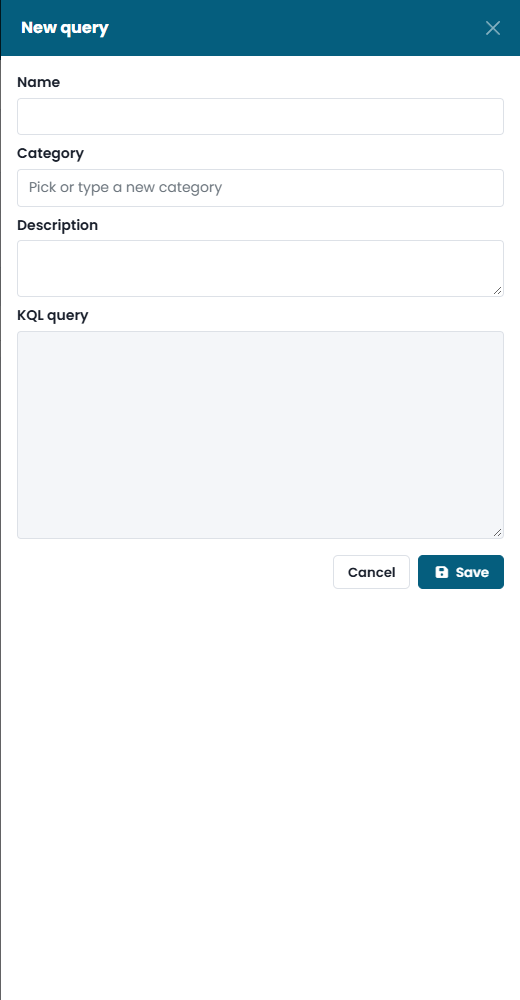
| Field | What to enter |
|---|---|
| Name | A short name that says what the query finds. |
| Category | The group it belongs to, to keep the repository organized. |
| Description | What the query looks for and how to read the results. |
| KQL query | The query itself. |
Using the Repository
The repository lists the saved queries with name, category, author and last update. Open a query to run it in the KQL editor, to edit it or to delete it. The same queries are also available in the Saved queries sub-tab of the KQL editor.
A good repository grows with your investigations: when a query from the CyberGuard catalogue needs to be adapted to your environment — excluding a service account, changing a threshold — save your version here, with a description of what you changed.