
CyberGuard Assessment Tool
CyberGuard Assessment Tool is a web portal that assesses the security of Microsoft environments — Active Directory, Microsoft Entra and Microsoft 365 — and keeps it under control over time. Assessments run automatically, findings are scored and ranked by risk, and everything you need to act on them is in the same place: attack paths, Microsoft Defender data, compliance questionnaires and the record of your team's work.
Who It Is For
- IT administrators who want a clear, repeatable picture of how their infrastructure is configured.
- Security teams who need to know what to fix first and to verify that fixes really closed the risk.
- IT and compliance managers who report security posture and regulatory readiness to management.
How It Works
- Connect your environment. Register the CyberGuard app in your Microsoft Entra tenant and install the agents where they are needed. See Onboarding and Agents & Probes.
- Run the assessments. Start them from the portal or schedule them: agents installed as a service run them for you and send the results back.
- Read the results. Every assessment produces findings ranked by severity, a score and a report you can share.
- Act and verify. Follow the attack paths to decide what to fix first, record the work in the Workspace, and check what changed with the next assessment.
Main Areas
| Area | What you find there |
|---|---|
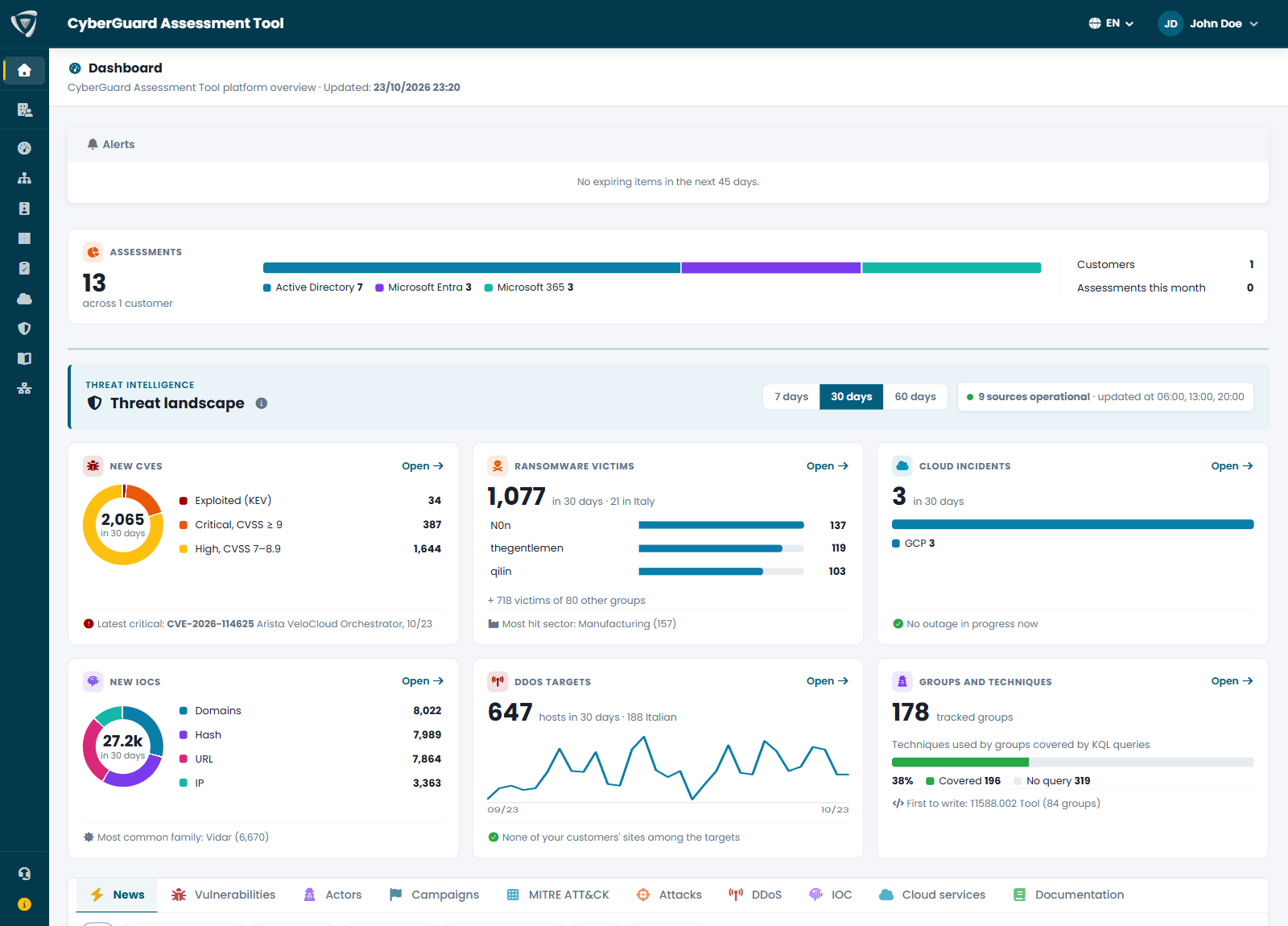
| Dashboard | Alerts on your configuration and your websites, assessment counters and the global threat landscape. |
| Threat Intelligence | Global threat indicators, exploited vulnerabilities, ransomware and DDoS attacks, with the sources behind them. |
| Security Score | One score per environment, open findings by severity, attack paths and what changed between assessments. |
| Active Directory | Domain controllers, accounts and permissions, policies, DNS and certificate services of your on-premises domains. |
| Microsoft Entra | Identities, Conditional Access, roles and applications of your tenant, and signs of attack with Eagle Eye. |
| Microsoft 365 | Configuration of Exchange Online, SharePoint, Teams, Intune and Microsoft Defender. |
| Compliance Assessments | Guided questionnaires on security regulations, with legal references and official documentation. |
| Microsoft Security View | Microsoft Defender vulnerabilities and KQL queries on your Defender data. |
| Workspace | Activities, incidents, findings and saved KQL queries recorded by your team. |
| Network Assessment | Devices, exposed services and vulnerabilities found in your networks by the network probe. |
Where to Start
If you are setting up CyberGuard for the first time:
- Read the Portal Reference to find your way around.
- Complete the Microsoft Entra app registration: it is needed by the Microsoft Entra and Microsoft 365 assessments.
- Install the agents for Active Directory and Microsoft 365, ideally as a service.
- Configure your mail server and choose the email notifications you want to receive.
- Run your first assessments and open the Security Score.
Support
For assistance, use the Support page of the portal or contact Inside Technologies at the support address provided with your subscription.