
Network Assessment
The Network Assessment shows what the network probe finds in your networks: every device that answers, the services it exposes, the vulnerabilities that affect it and the risk it represents. It completes the picture of the identity assessments with the devices that are not in Active Directory or Intune — switches, firewalls, access points, printers, NAS, cameras, hypervisors.
The analysis works on two fronts:
| What it checks | How | |
|---|---|---|
| CVE | Whether the firmware of your devices is affected by known vulnerabilities. | For devices that answer to SNMP, the probe reads vendor, model and firmware version, and CyberGuard looks them up in the public vulnerability database. |
| Ports | Whether the services exposed on the network are configured correctly. | The probe scans the open ports and analyzes the services behind them: protocols, web interfaces, TLS certificates and their expiry. |
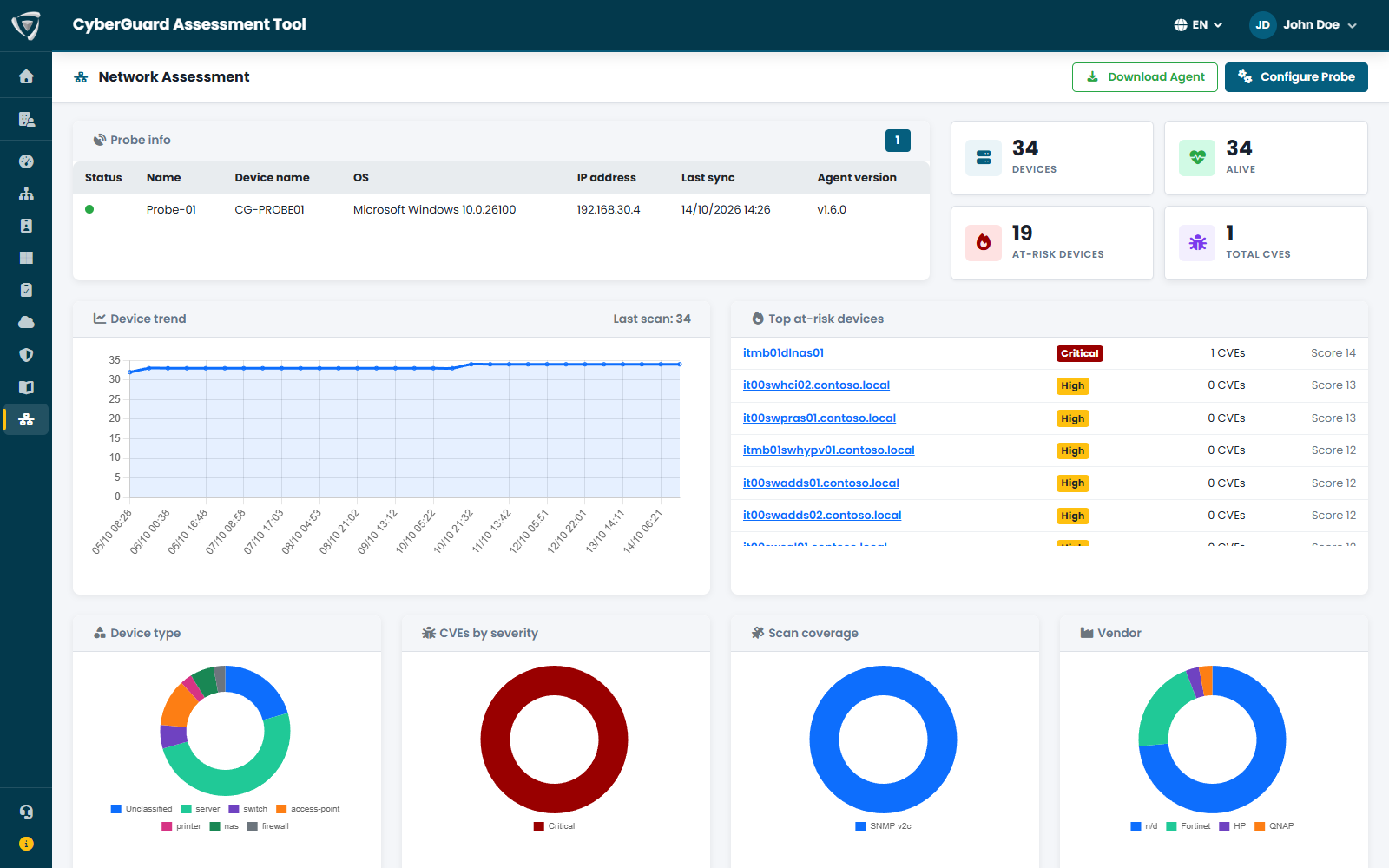
Overview
- Probe info — the probes of your organization, with their status and last synchronization. Configure Probe and Download Agent are in the page header: see Network Probe.
- Counters — devices found, devices alive, devices at risk and vulnerabilities (CVEs).
- Device trend and Top at-risk devices — how the number of devices changes over time, and the devices with the highest risk score.
- Charts — devices by type, vendor and site, CVEs by severity, scan coverage, findings by severity, the most exposed ports.
- Devices — the full list, filterable by type and site, with vendor, model, firmware, IP address, risk, CVEs and exposed ports. A device not seen in the latest scans is greyed out, with the date it was last seen.
Device Detail
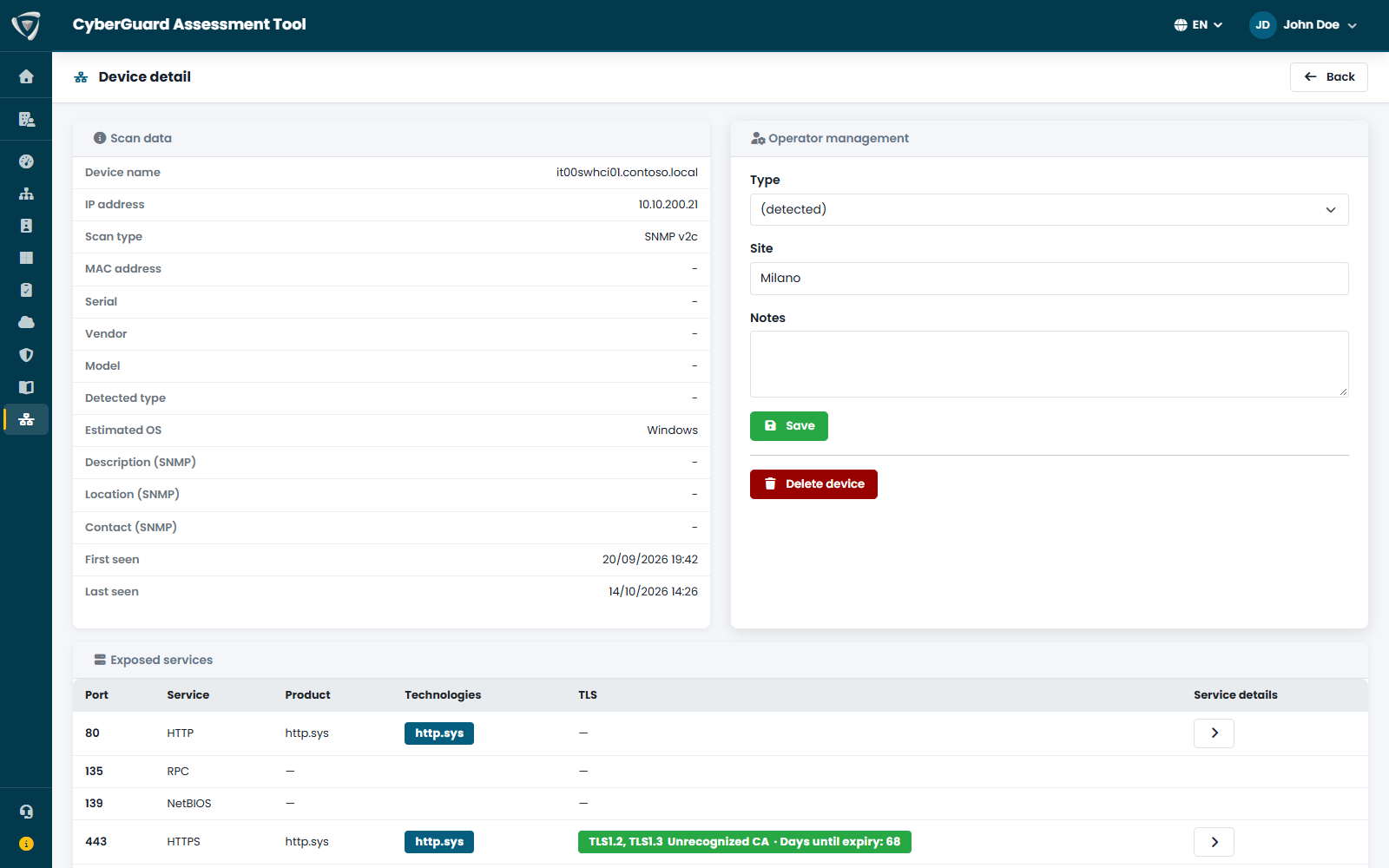
Click a device to open its detail:
- Scan data — what the probe detected: name, IP and MAC address, vendor, model, firmware, operating system, SNMP information, first and last time seen.
- Operator management — correct the device type if it was not detected, assign the site and add notes.
- Exposed services and Findings — the result of the port analysis.
- Known CVEs — the result of the vulnerability lookup.
Network findings also appear in the Security Score, and you can document them in the Workspace in the Networking area.