
Active Directory
The Active Directory assessment analyzes your on-premises domains: how they are built, how healthy the domain controllers are, which accounts and permissions put them at risk, and how well the main services — Kerberos, DNS, certificate services — are protected. It is collected by the Active Directory agent, a program that runs on a machine of your domain.
Running the Assessment
From Assessment → Active Directory:
- Run Assessment — if the agent is installed as a service, the assessment starts right away and the page shows its progress, item by item. Assessments can also run automatically on a schedule.
- Download ZIP and Download config — to run the agent by hand on a machine of the domain. See Active Directory Agent.
If the forest contains more than one domain, the assessment covers the domain where the agent runs and lists the other domains, which need an assessment of their own.
What It Covers
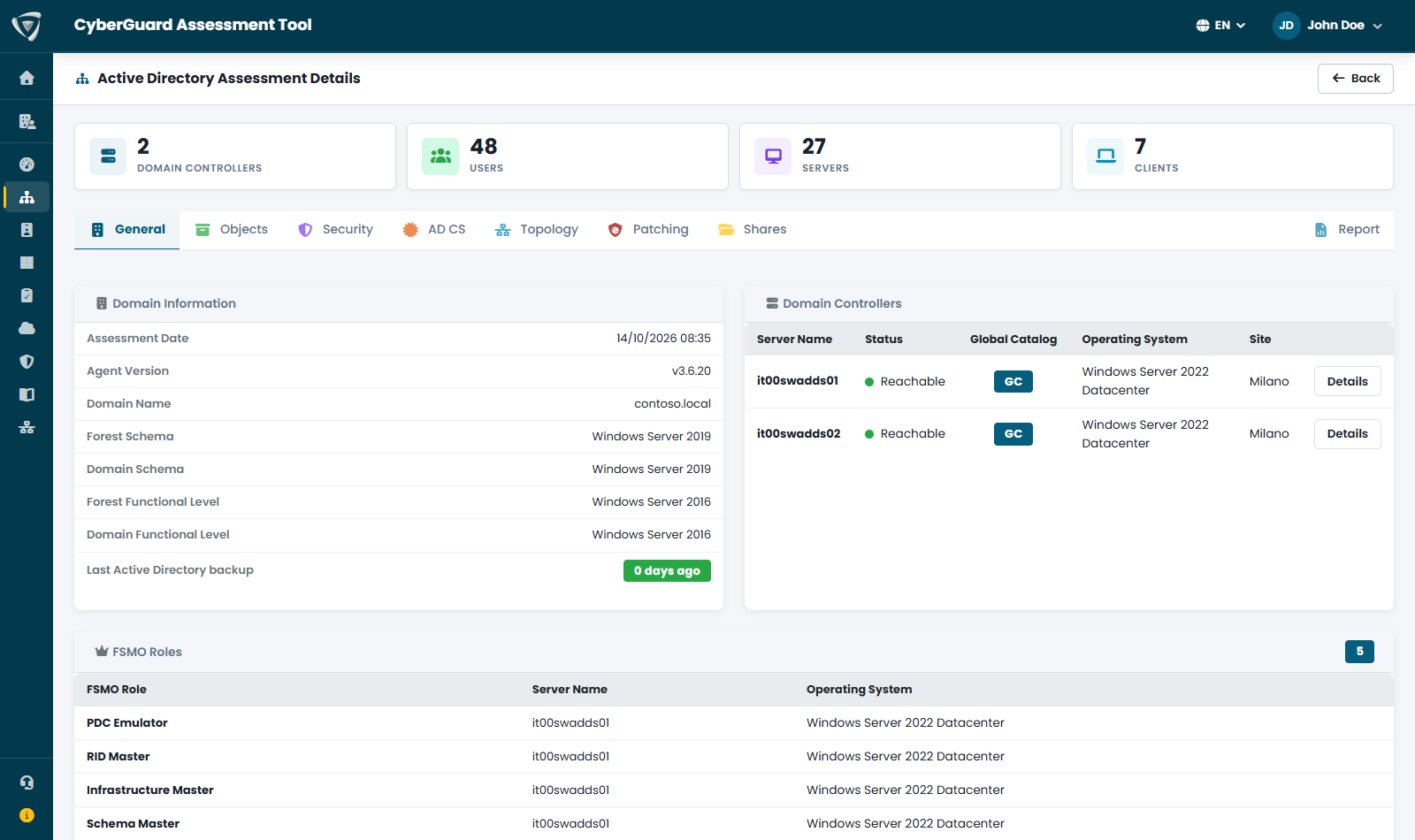
The detail of an assessment is organized in tabs:
| Tab | What you find |
|---|---|
| General | The domain and the forest: functional levels, last Active Directory backup, the domains of the forest and the trusts. The domain controllers with their reachability (green, yellow if reachable with replication errors, red if not reachable) and their health in Details: uptime and pending reboots, time source, memory, CPU and disks, Active Directory services, database size, LDAPS certificate. The FSMO roles. |
| Objects | Computers, users and groups, orphaned objects, inactive and disabled accounts. |
| Security | The core of the assessment, in five sub-tabs: Accounts (password policy, account hygiene, privileged accounts, exposed credentials), Kerberos (delegations, Kerberoasting and AS-REP roasting, weak encryption such as RC4), Configuration (security settings of each domain controller, network protections, NTLM and LDAP signing, audit policy), DNS (zones, dynamic updates, who can create records, WPAD, forwarders) and Permissions and GPOs (dangerous permissions on the domain, DCSync, Group Policy). |
| AD CS | Active Directory Certificate Services: certification authorities and certificate templates, with the known abuse scenarios (ESC). |
| Topology | An interactive map of forest, sites and domain controllers, the replication matrix between domain controllers, and the leftovers to clean up (decommissioned domain controllers, sites without subnets and similar). |
| Patching | Exposure to critical vulnerabilities and the updates installed on each domain controller. |
| Shares | The network shares published by the servers of the domain, with their path, searchable by server. |
| Report | The PDF report and the CSV exports. |
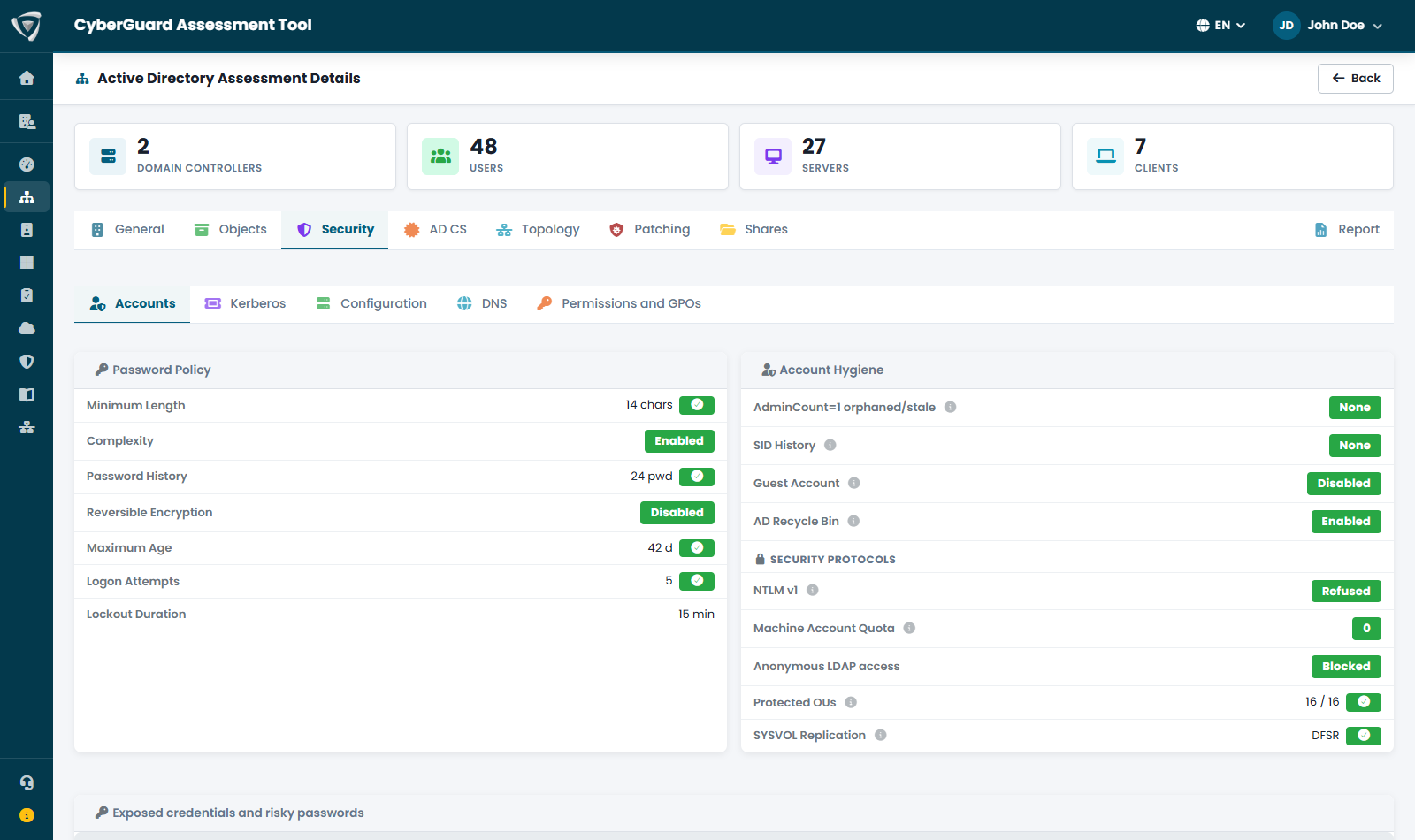
Each check that finds a problem becomes a finding, with a severity and a recommendation, and weighs on the Active Directory score. You find all findings in the Security Score, and the chains of findings an attacker could use in the attack paths.
Topology
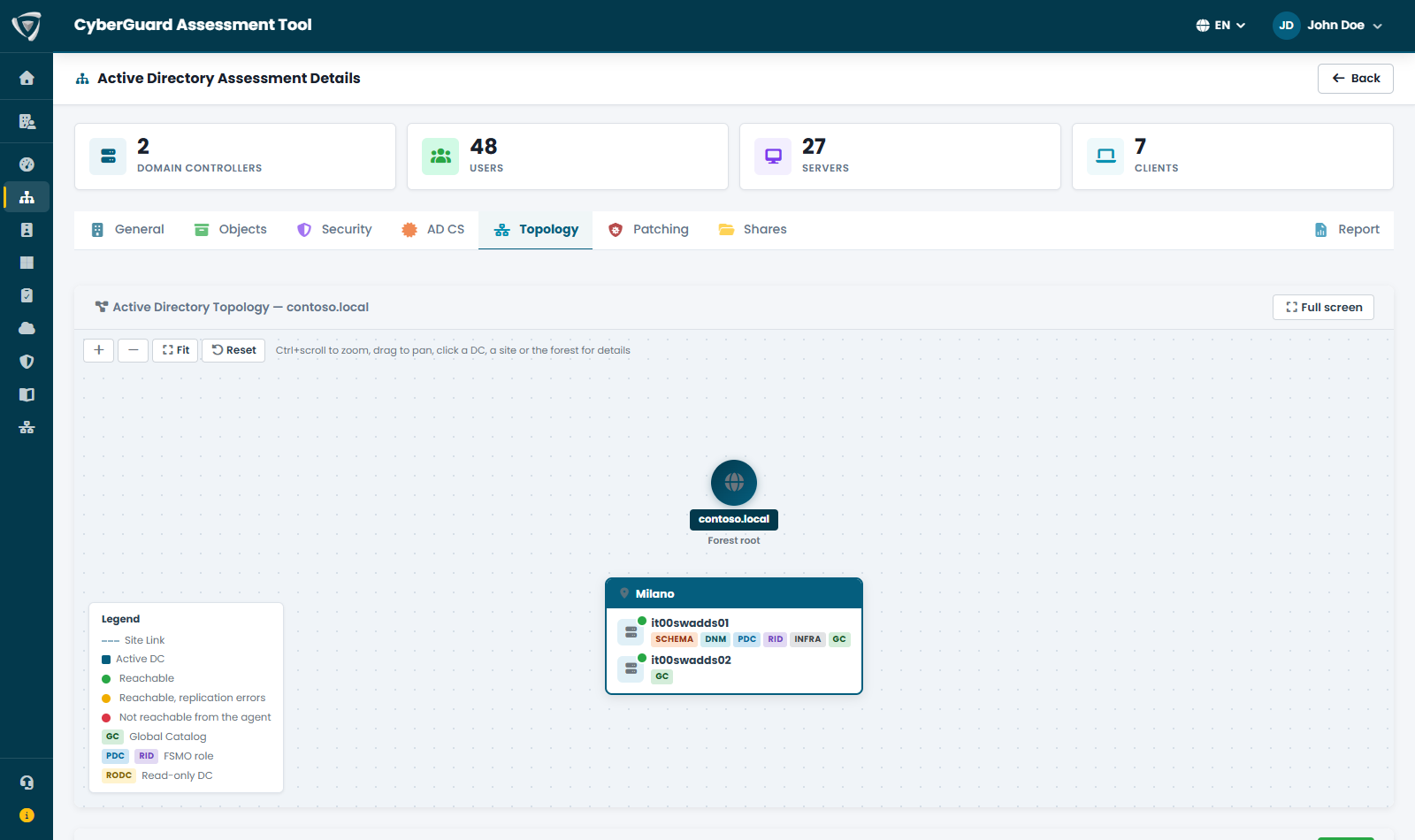
The topology map shows the forest, its sites and the domain controllers of each site, with their FSMO roles, Global Catalog and read-only domain controllers. Zoom with Ctrl and the mouse wheel, drag to move, and click a domain controller, a site or the forest to see its details: for a domain controller its IP address, operating system, roles and replication partners; for a site its subnets and site links; for the forest its functional levels and FSMO role holders. Full screen gives the map the whole window.
Report
The Report tab produces the PDF report of the assessment, in English or Italian, with the score, the findings, the action plan and the accepted risks, and offers the collected lists as CSV files.