
Microsoft Security View
Microsoft Security View brings the data of Microsoft Defender into the CyberGuard portal, next to your assessments. Where the assessments tell you how your environment is configured, Microsoft Security View shows what Defender sees on it: vulnerable software on your devices, open incidents and alerts, and the raw data you can query with KQL.
It reads your tenant through the Microsoft Entra app in read-only mode, and requires Microsoft Defender in your tenant. If you don't use Defender, turn it off in Company Profile → Edit → Entra / AD → Intune and Defender XDR monitoring.
It has three tabs:
| Tab | What it shows |
|---|---|
| Vulnerability Management | The software vulnerabilities with a public exploit found by Microsoft Defender on your devices, with the ones attackers are actively exploiting first. |
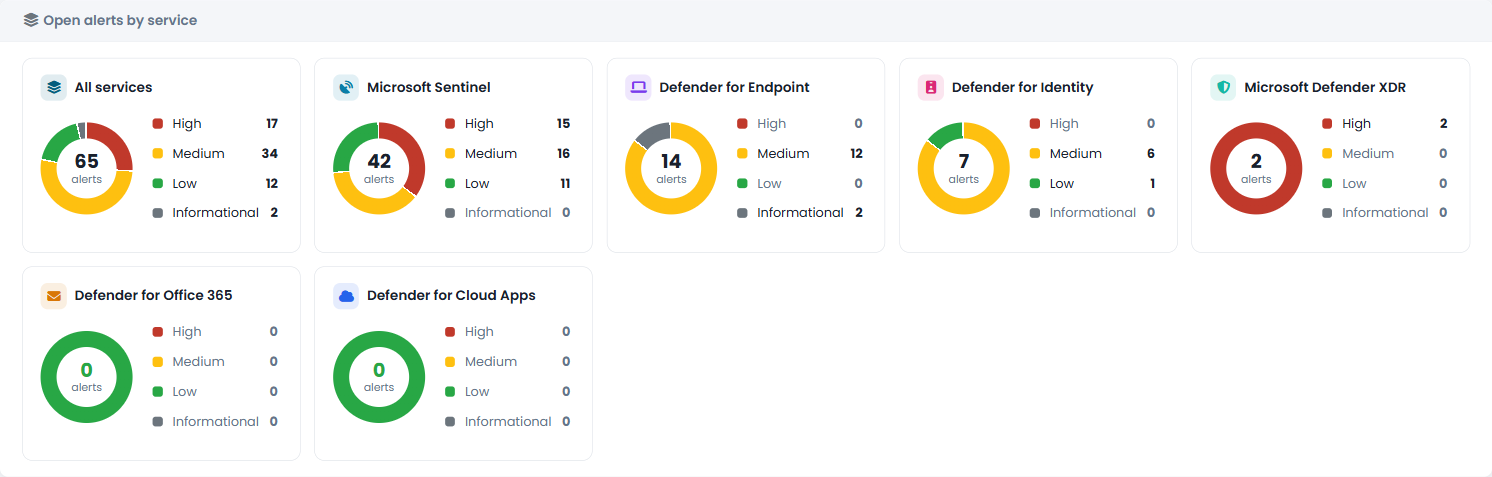
| Incidents | The incidents and alerts of Microsoft Defender XDR and Microsoft Sentinel of the last 60 days in one list, the MITRE ATT&CK techniques involved, the attack chains that link related incidents and the full details of each incident. |
| KQL queries | Advanced Hunting queries run directly on your Defender data, with a catalogue of ready-made queries. |
The Refresh now button at the top of the page updates the data from Microsoft Defender; the page also shows when the next automatic update is scheduled.